
Mobile access
LulaBet app for South Africa: what actually installs on iOS and Android
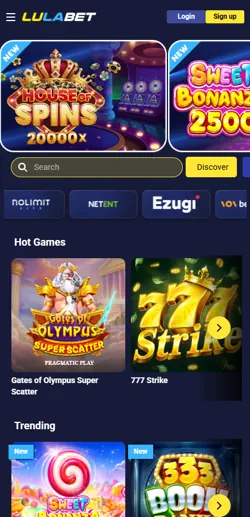
LulaBet runs a native app through the Apple App Store, while Android and Huawei devices use a browser-based shortcut instead of a downloadable file. Both paths reach the same account, the same odds and the same casino library, but they get there differently.


Platform reality
Why there's no Android APK for LulaBet
Search results promising a LulaBet APK are wrong. Android and Huawei users get a Progressive Web App shortcut added to the home screen through Chrome, not a separate installer file, while iPhone and iPad users download a genuine native app of about 115MB from the App Store, requiring iOS 13.4 or later.
Some guides claim LulaBet has no app whatsoever, but the App Store listing under developer Lula Bets (Pty) Ltd — matching the licensed operator on record — confirms the iOS app is real; only the Android APK claim is false.
Native app
iOS via App Store
- File size approximately 115MB
- Requires iOS 13.4 or later
- Push notifications supported
- Updates through the App Store
No download needed
Android and Huawei shortcut
- Under 1MB added to home screen
- Requires Android 5.0 or later
- No app-store listing exists
- Updates automatically with the site
The gap traces back to platform policy rather than a LulaBet decision. Google restricts real-money gambling apps to operators holding a direct licensing agreement with Google for the specific market, and a provincial bookmaker licence from the Western Cape Gambling and Racing Board does not fall under that separate framework, so Android users are routed to the shortcut instead of a Play Store listing.
Getting set up
Installing the iOS app and the Android shortcut
The two routes diverge after the first tap. Neither one skips FICA verification, and both land you on the same account once you log in.
On an iPhone or iPad
- Open the App Store and search LulaBet
- Confirm the developer is Lula Bets (Pty) Ltd
- Tap Get, then confirm with Face ID or a password
- Launch the app and log in or register
On Android or Huawei
- Open lulabet.co.za in Chrome
- Tap the browser menu, then Add to Home Screen
- Confirm the name and tap Add
- Open the new icon and log in or register
If the iOS download stalls, it's usually a storage or Wi-Fi restriction rather than an app fault; the Android shortcut has no equivalent failure mode since nothing is actually downloaded.
Money in and out
Deposit and withdrawal limits on mobile
Whichever platform you use, the account-level limits are identical, since both interfaces run the same backend.
| Rule | Threshold | Applies to |
|---|---|---|
| Withdrawal cap on small deposits | 10x the deposit amount | Deposits of R1,000 or less |
| Accepted deposit methods | EFT, debit/credit card, vouchers, Zapper | App and browser alike |
| Age and residency check | 18+, South African resident | Every account regardless of device |
The 10x multiplier on smaller deposits catches players who top up with R50 or R100 expecting to withdraw a larger win freely; it applies identically whether the account was opened through the iOS app or the Android shortcut, since both run on the same backend.
Verification
FICA verification through the app or browser
Registration on either platform triggers the same FICA identity check required of every licensed South African bookmaker before a deposit is accepted.
Document uploads go through the same process app-side as browser-side: a photo or scan of your ID or Smart ID Card, plus proof of address dated within the last three months. Four issues cause most rejections: blurry photos, an expired proof of address, a name mismatch between the ID and the registration form, and a document with a missing corner.
Automated checks can clear within minutes, but manual review during busy periods, such as major sporting weekends, extends to roughly 24 to 96 hours; there's no separate queue for app users versus browser users.
Keep the same ID document on hand for both the initial registration and any later re-verification request, since a mismatched document type is one of the more common causes of a second rejection.
What to expect
Known interface quirks and when they happen
Both platforms carry small, documented rough edges worth knowing before you rely on either one for live betting.
The iOS app can show a brief flicker when switching between the sportsbook and casino tabs, and the first load after installing tends to run slower than later sessions while cached data builds up. The Android shortcut avoids the install-related delay entirely but depends on Chrome staying updated, since an outdated browser can break the home-screen icon's offline behaviour.
- iOS: expect a short tab-switch flicker on first use, then normal speed
- Android/Huawei: keep Chrome updated to avoid a broken home-screen icon